ClickHouse
ClickHouse is a fast, open-source, column-oriented database management system that allows for high performance data ingestion and querying.
ingestr supports ClickHouse as a source and destination.
URI format
The URI format for ClickHouse as a source is as follows:
clickhouse://<username>:<password>@<host>:<port>?secure=<secure>The URI format for ClickHouse as a destination is as follows:
clickhouse://<username>:<password>@<host>:<port>?http_port=<http_port>&secure=<secure>URI parameters:
username(required): The username is required to authenticate with the ClickHouse server.password(required): The password is required to authenticate the provided username.host(required): The hostname or IP address of the ClickHouse server where the database is hosted.port(required): The TCP port number used by the ClickHouse server.http_port(optional): The port number to use when connecting to the ClickHouse server's HTTP interface. By default, it is set to port8443. It should only be used when ClickHouse is the destination.secure(optional): Set to1for a secure HTTPS connection or0for a non-secure HTTP connection. By default, it is set to1.cluster(optional): The ClickHouse cluster name to use for generated DDL. When set, ingestr addsON CLUSTER <name>toCREATE DATABASE,CREATE TABLE,DROP TABLE,EXCHANGE TABLES,RENAME TABLE,ALTER TABLE, andTRUNCATE TABLEstatements. The cluster must already be configured on the ClickHouse server, and the connected user must be allowed to execute distributed DDL.engine(optional): The table engine type to use when creating destination tables. Valid values:merge_tree,shared_merge_tree,replicated_merge_tree,stripe_log,tiny_log. Only applicable when ClickHouse is the destination.engine.<name>(optional): Engine-level settings to include in theCREATE TABLEstatement. Prefix each setting name withengine.. For example,engine.index_granularity=8192will addSETTINGS index_granularity = 8192to the table definition. Only applicable when ClickHouse is the destination.
ClickHouse requires a username, password, host and port to connect to the ClickHouse server.
Setting up ClickHouse Credentials
For ClickHouse Cloud
- Log in to ClickHouse Cloud Console
- Select your service
- Go to Connect → View connection string
- Note the hostname, port, username, and password
For Self-Hosted ClickHouse
- The default username is
default - Set a password in the ClickHouse configuration or create a new user:sql
CREATE USER integration_user IDENTIFIED BY 'your_password'; GRANT SELECT, INSERT, CREATE TABLE, DROP TABLE ON *.* TO integration_user; - Note your server's hostname and ports:
- Native TCP port: default
9000(or9440for TLS) - HTTP port: default
8123(or8443for TLS)
- Native TCP port: default
Once you have all the credentials:
ingestr ingest \
    --source-uri "stripe://?api_key=key123" \
    --source-table 'event' \
    --dest-uri "clickhouse://user_123:pass123@localhost:9000" \
    --dest-table 'stripe.event'
This is a sample command that will copy the data from the Stripe source into ClickHouse.
To create and manage destination tables across a self-hosted cluster, pass the cluster name in the destination URI:
ingestr ingest \
    --source-uri "stripe://?api_key=key123" \
    --source-table 'event' \
    --dest-uri "clickhouse://user_123:pass123@localhost:9000?cluster=analytics_cluster&engine=replicated_merge_tree" \
    --dest-table 'stripe.event'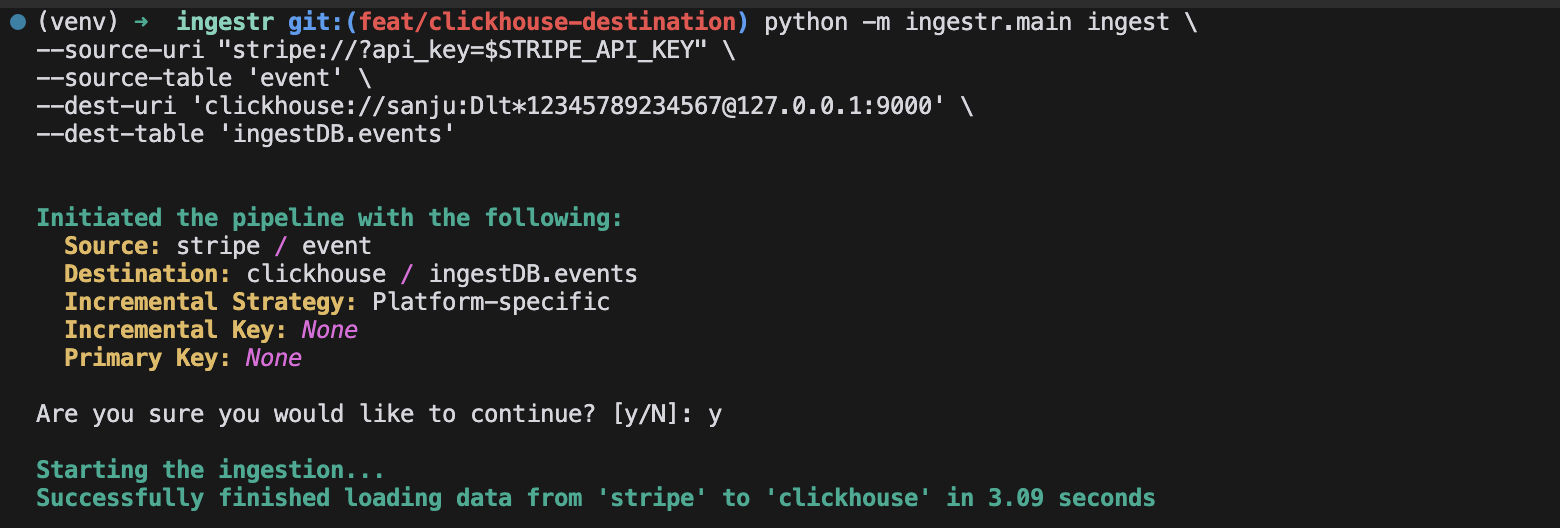
You can also specify engine settings for the destination table:
ingestr ingest \
    --source-uri "stripe://?api_key=key123" \
    --source-table 'event' \
    --dest-uri "clickhouse://user_123:pass123@localhost:9000?engine.index_granularity=8192" \
    --dest-table 'stripe.event'
WARNING
ingestr does not use ClickHouse transactions. ClickHouse delete+insert is supported as a best-effort two-step operation: ingestr runs ALTER TABLE ... DELETE, waits for the mutation to finish, and then inserts rows from the staging table. This is not a single atomic transaction.
Supported destination strategies
When using ClickHouse as a destination, ingestr supports replace, append, merge, delete+insert, and scd2.
delete+insert does not use ClickHouse's experimental transaction feature. Concurrent ingestr runs writing to the same ClickHouse table can still interleave between the delete and insert steps.