GitHub
GitHub is a developer platform that allows developers to create, store, manage and share their code.
ingestr supports GitHub as a source.
URI format
The URI format for GitHub is as follows:
github://?access_token=<access_token>&owner=<owner>&repo=<repo>URI parameters:
access_token(optional): Access Token used for authentication with the GitHub APIowner(required): Refers to the owner of the repositoryrepo(required): Refers to the name of the repository
Setting up a GitHub Integration
To connect to GitHub, you need to create a Personal Access Token (PAT).
Step 1: Create a Personal Access Token
- Log in to GitHub
- Click your profile picture → Settings
- Scroll down and click Developer settings in the left sidebar
- Click Personal access tokens → Tokens (classic) or Fine-grained tokens
Option A: Classic Token
- Click Generate new token → Generate new token (classic)
- Enter a note (e.g., "Data Integration")
- Select an expiration period
- Select scopes:
repo- Full access to repositories (for private repos)public_repo- Access to public repositories only
- Click Generate token
- Copy the token immediately (starts with
ghp_)
Option B: Fine-grained Token (Recommended)
- Click Generate new token → Generate new token (fine-grained)
- Enter a token name and expiration
- Under Repository access, select the repositories you need
- Under Permissions, set:
- Issues: Read-only (for issues table)
- Pull requests: Read-only (for pull_requests table)
- Contents: Read-only (for repo_events)
- Metadata: Read-only (required)
- Click Generate token
- Copy the token (starts with
github_pat_)
Note: The access token is optional for public repositories, but recommended to avoid rate limits.
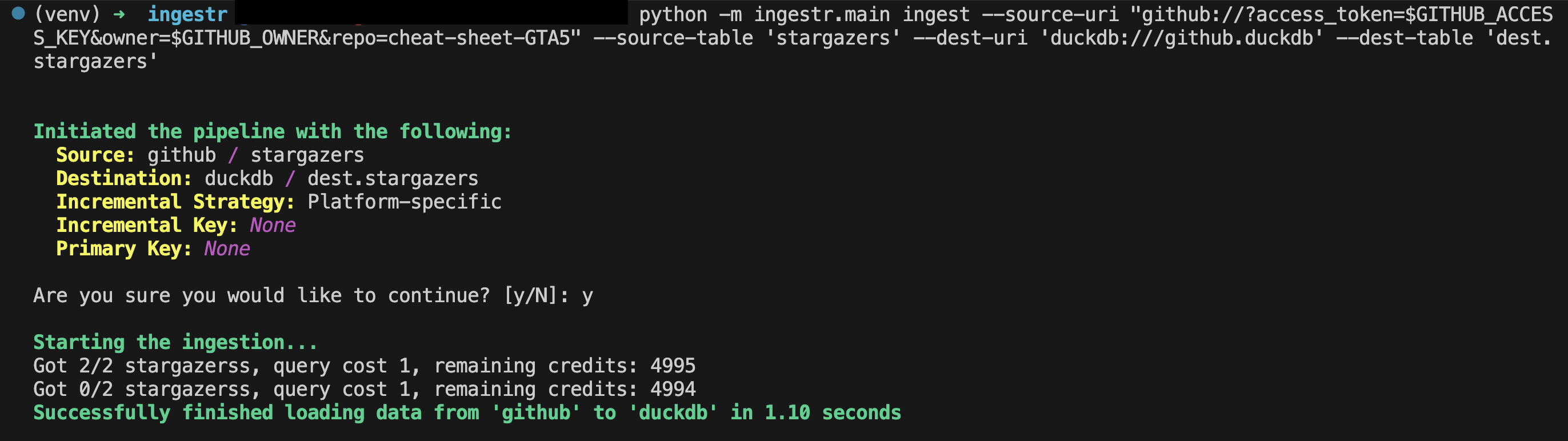
Once you have your access token, let's say your access token is ghp_test_1234, the owner is max, and the name of the repository is test_example. Here is a sample command that will copy the data from GitHub into a DuckDB database:
ingestr ingest --source-uri 'github://?access_token=ghp_test_1234&owner=max&repo=test_example' --source-table 'issues' --dest-uri duckdb:///github.duckdb --dest-table 'dest.issues'This is a sample command that will copy the data from the GitHub source to DuckDB.
Tables
GitHub source allows ingesting the following sources into separate tables:
| Table | PK | Inc Key | Inc Strategy | Details |
|---|---|---|---|---|
issues | - | – | replace | Retrieves GitHub issues along with their comments and reactions. Full reload on each run. |
pull_requests | - | – | replace | Retrieves pull requests with comments and reactions. Full reload on each run. |
repo_events | id | created_at | merge | Retrieves recent repository events. Appends only new events using created_at filter. Only events from the past 30 days allowed. |
stargazers | - | – | replace | Retrieves stargazers. Full reload on each run. |
Use these as --source-table parameter in the ingestr ingest command.